Unlocking a setting

Unlock a setting in the customer configuration file.

About this task

The settings that you unlock in Jeppesen Distribution Manager Pro (JDM Pro) are unlocked in the Customer Configuration XML file and the FliteDeck Pro app.

Note: This feature applies to FliteDeck Pro (iOS) version 4.7 and later. When you lock or unlock a setting, it doesn't take effect in earlier versions of FliteDeck Pro.

Procedure
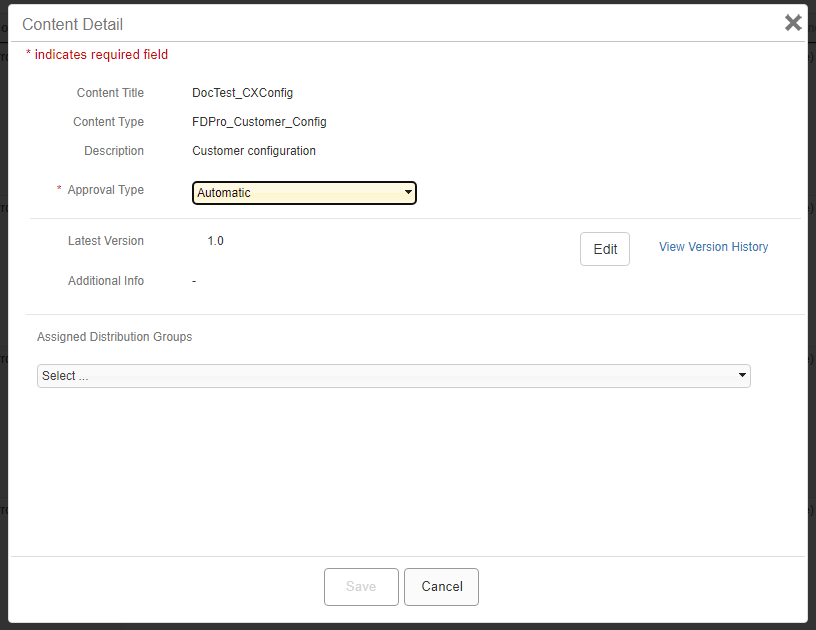
  1. From the Content page, select the configuration file that you want to edit.

    JDM Pro displays the Content Detail box.

    FigureContent Detail box
    Content Detail box
  2. Select Edit.

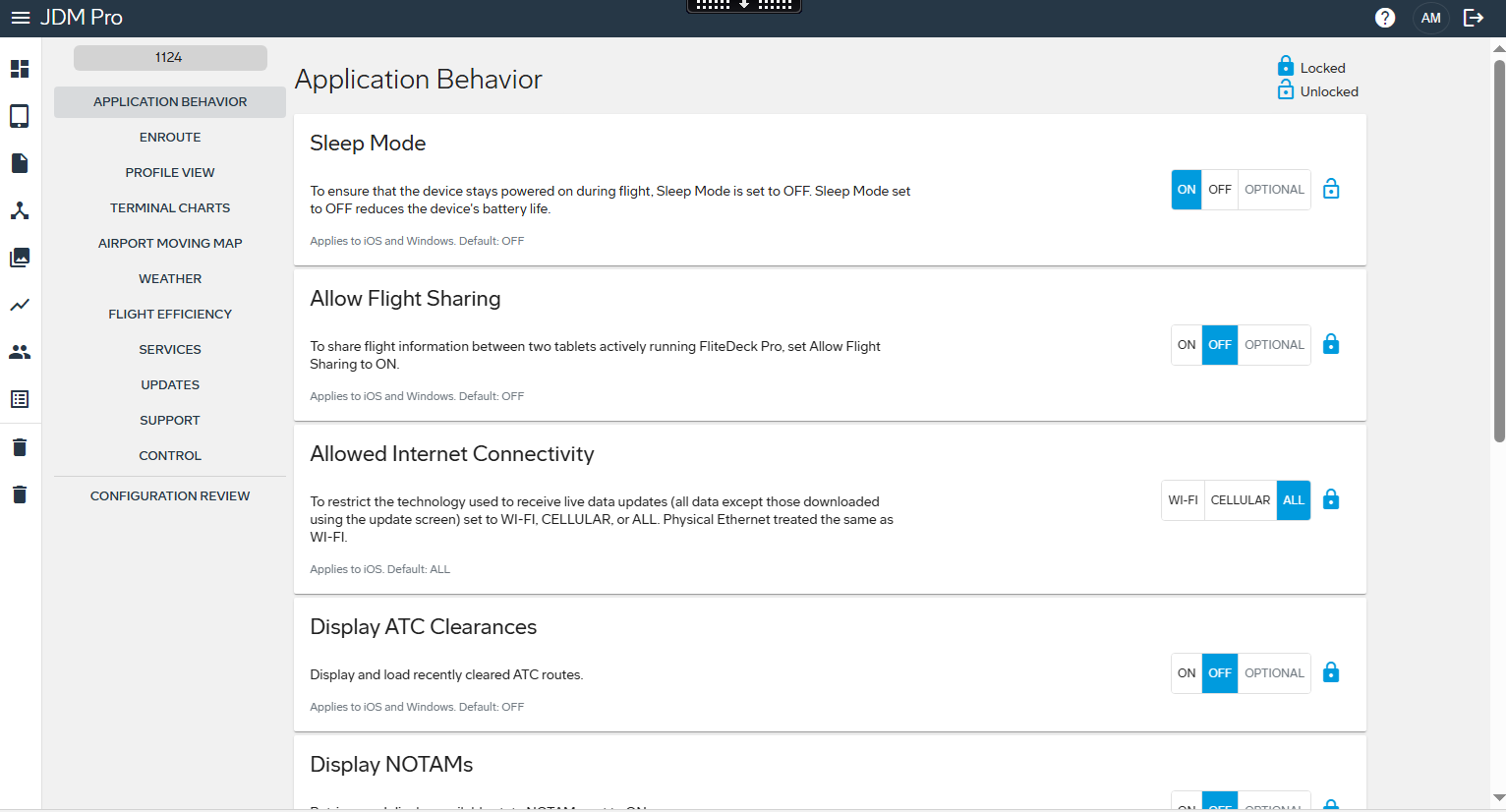
    JDM Pro displays the Application Behavior page.

    FigureApplication Behavior page
    Application Behavior page
  3. Select Lock button.

Results

The setting is unlocked in the Customer Configuration XML file and the FliteDeck Pro app. Pilots can update an unlocked setting under iPad Settings > Apps > FD Pro. The change is saved in the FliteDeck Pro app.

The following figure shows an example of the settings configured in the JDM Pro app and applied in the FliteDeck Pro app.
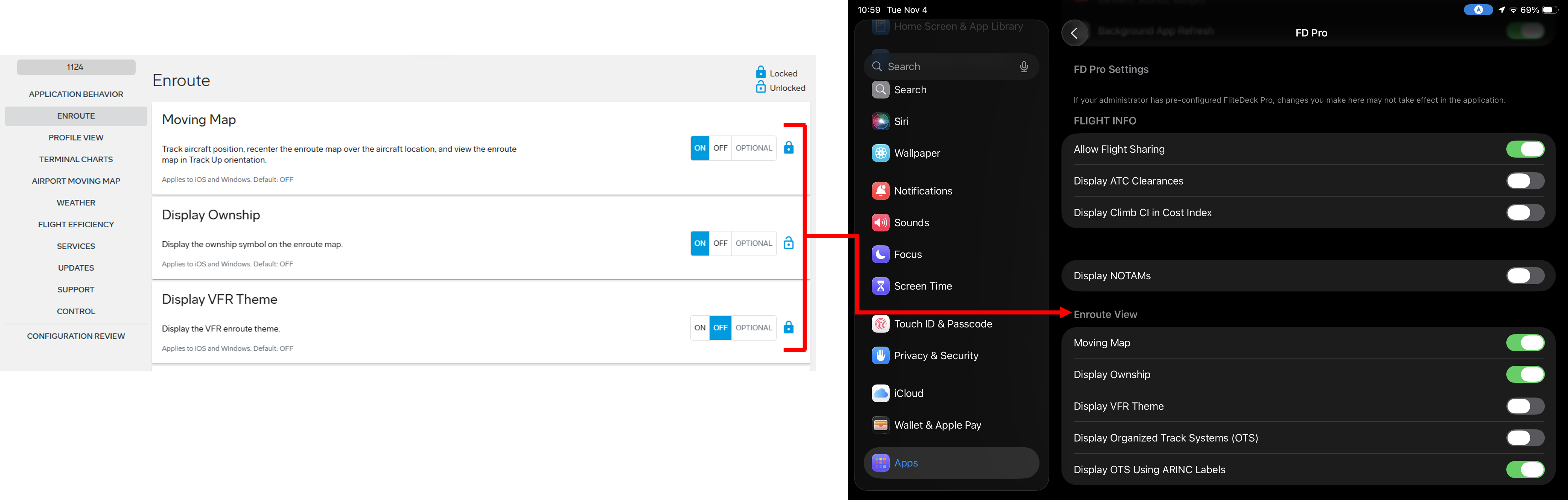
FigureSettings configured in JDM Pro are applied in the FliteDeck Pro app
Settings configured in JDM Pro are applied in the FliteDeck Pro app