
Creating a configuration file based on an existing file
You can use a current configuration file to create a new one.
About this task
Procedure
-
From the Content page, select the configuration file you want
to edit.
JDM Pro displays the Content Detail dialog.
FigureContent Detail dialog 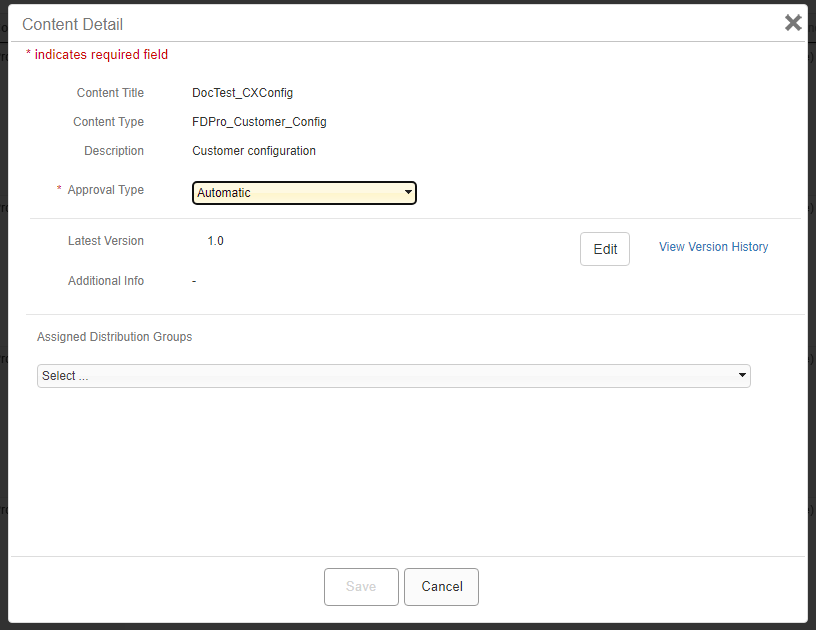
-
Select Edit.
JDM Pro displays the Configuration File Content Editor for that content item, open to the Application Behavior page.
FigureApplication Behavior page 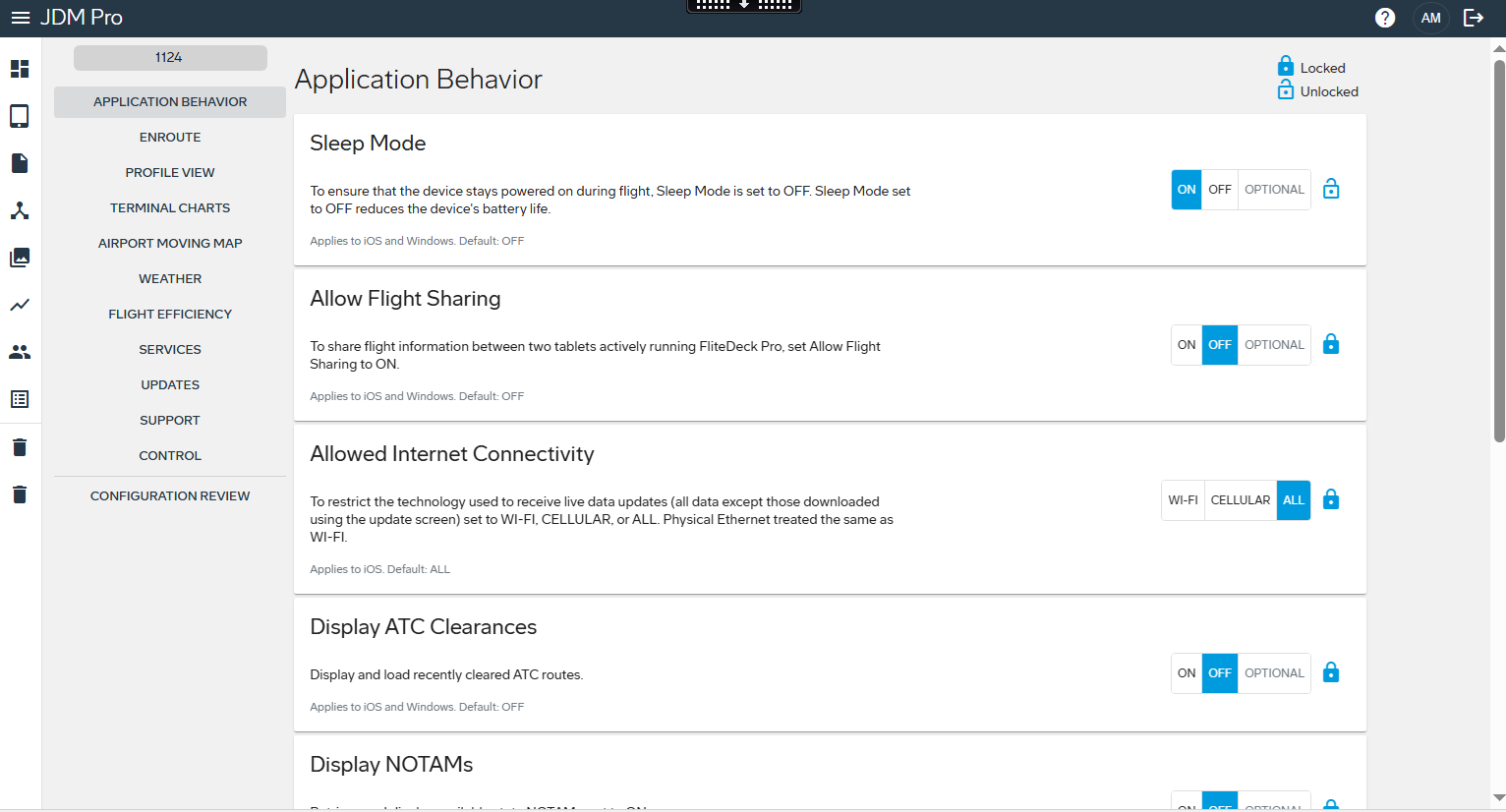
- Set the parameters for each setting you want to change. To set parameters for a different topic, select an item from the menu on the left, or select NEXT at the bottom of each page.
-
When you have set all of your parameters, select Configuration
Review.
JDM Pro displays the Verify Metadata page.
-
Create a title and version number for your new configuration file, and then select
Continue.
JDM Pro displays the Configuration Review page, which includes the XML result.
FigureConfiguration Review dialog 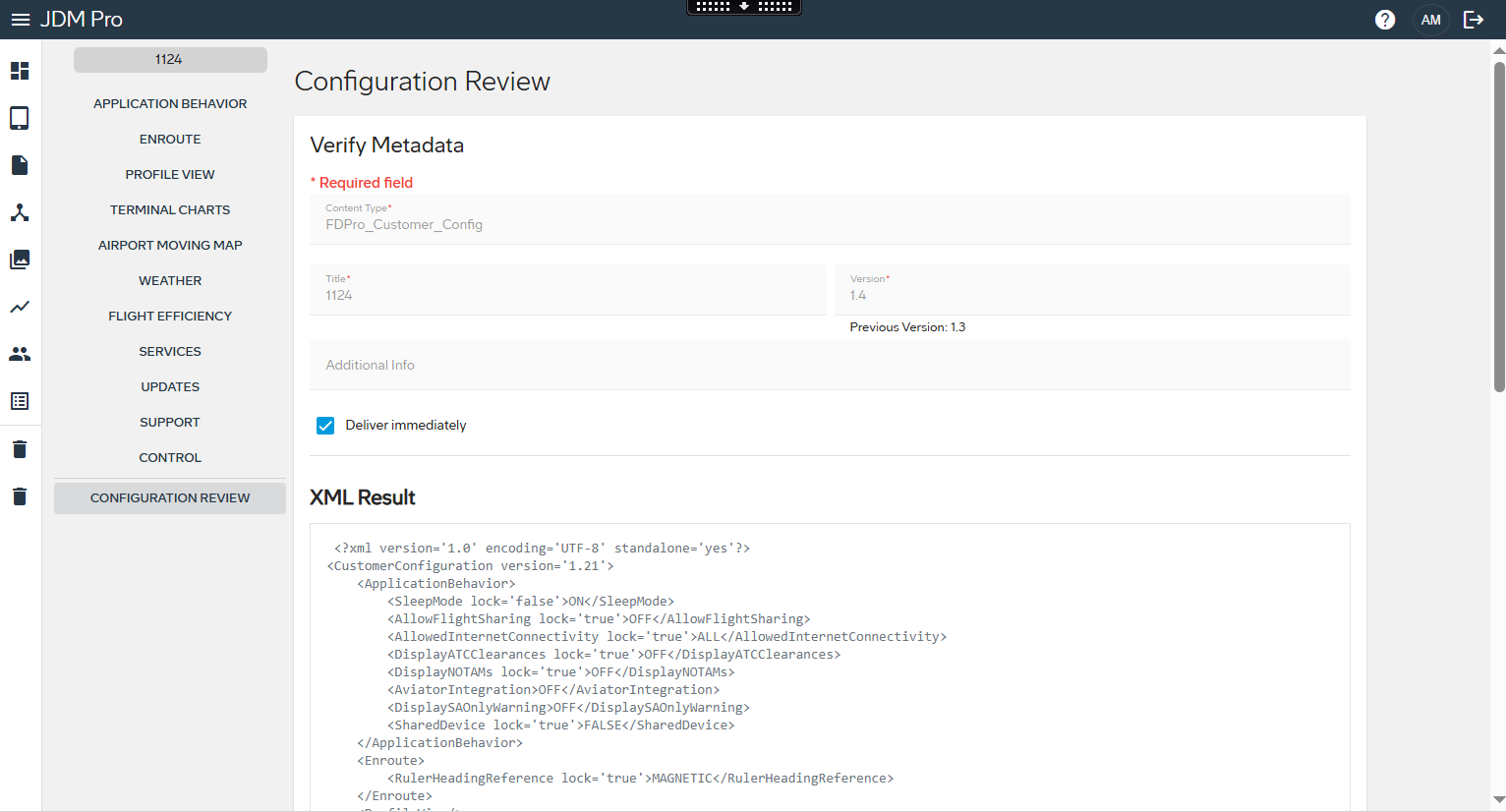
-
Select Publish.
JDM Pro publishes the new configuration file and adds it to the Content list. JDM Pro keeps the previous configuration file. Like other content, the file is sent to the appropriate devices based on your distribution group and content settings.
Tip: If you don't see the content on the Content page, wait for a minute, and then refresh the browser.