
Viewing hardware information of devices
After a device is registered, you can view the hardware (system) information for that device.
About this task
- Type
- The type of device.
- Model
- The model of the device.
- OS Version
- The version of the operating system on the device.
- Application
- The name of the application on the device. For example, FliteDeck Pro.
- Version
- The current version of the application on the device.
- Updated (UTC)
- The most recent date and time (in UTC format) when the app downloaded content.
- Capacity/Available
- The capacity and available space recently reported by the device.
Procedure
- From the JDM Pro menu, access the Devices page.
-
From the Devices page, select a device.
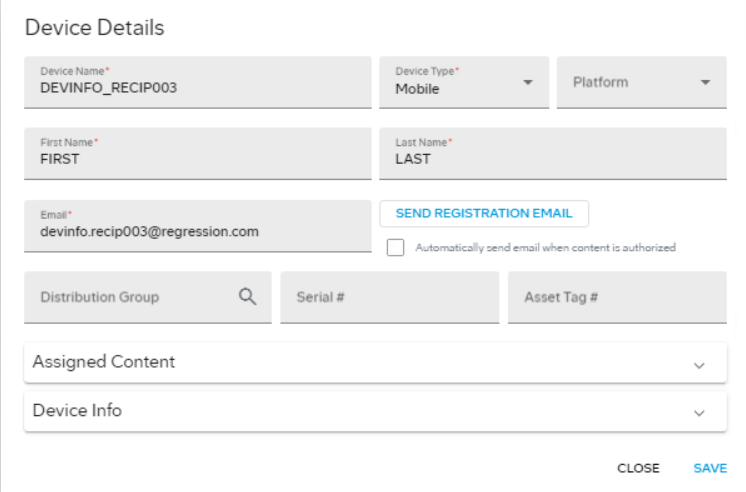
JDM Pro displays the Device Details dialog.
-
Select the Device Info
section.
JDM Pro displays the Device Info section for the device.
FigureDevice Information 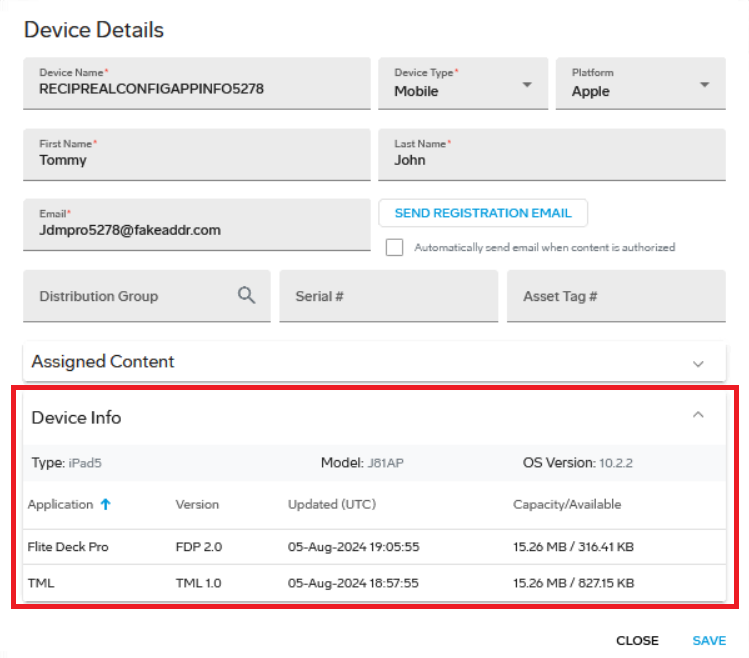 Note: You can export device information for one or more devices from the Devices list.