
The JDM Pro Dashboard
When you sign in, Jeppesen Distribution Manager Pro (JDM Pro) displays the Dashboard for your fleet. The color-coded data on the Dashboard provides a visual representation of the status of the devices, content, and distribution groups in your fleet.
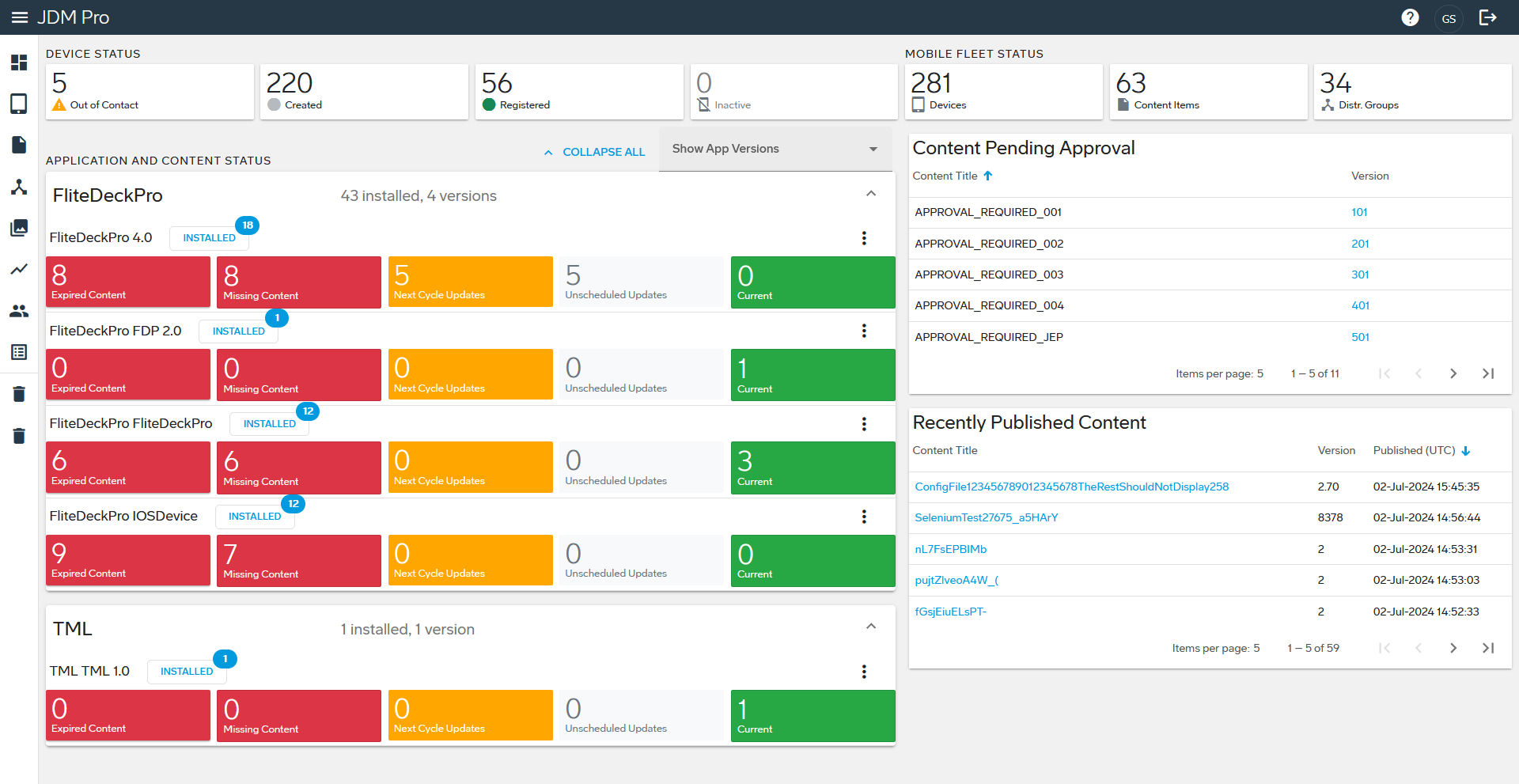
You can select any item on the Dashboard to open the associated page, which is filtered to show only the information that you selected. For example, if you select the Out of Contact card in the Device Status section, JDM Pro displays the Devices page—filtered to show devices that are out of contact.
The JDM Pro Dashboard features five sections:
- Device Status
- Mobile Fleet Status
- Application and Content Status
- Content Pending Approval
- Recently Published Content