
About the Activity Log
Jeppesen Distribution Manager Pro (JDM Pro) records a list of activities of Application Administrators in the Activity Log for 365 days.
The Activity Log includes the following information:
- Activity
- The activity performed.
- Description
- Information about the activity.
- User
- The first and last name of the user who performed the activity.
- Date/Time
- The date and time the activity took place.
- Status
- The status of the activity. The status can be OK, Failed, Success, Partial Success, or Canceled.
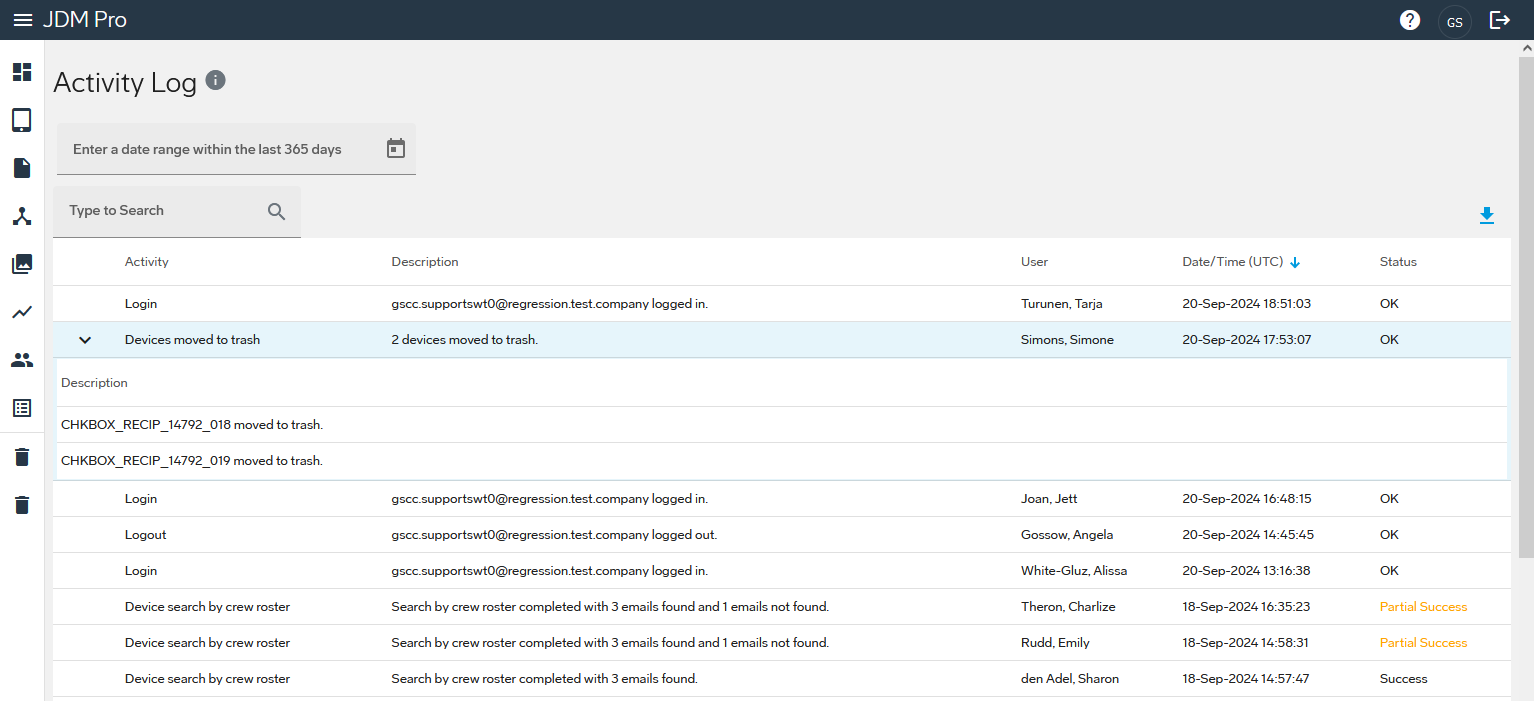
JDM Pro displays a blue arrow next to items that include a nested list. To view more information about the activity, select the arrow. For example, if you deleted multiple content versions, select the arrow to view a list of the content versions that you deleted.