
Filtering the Activity Log
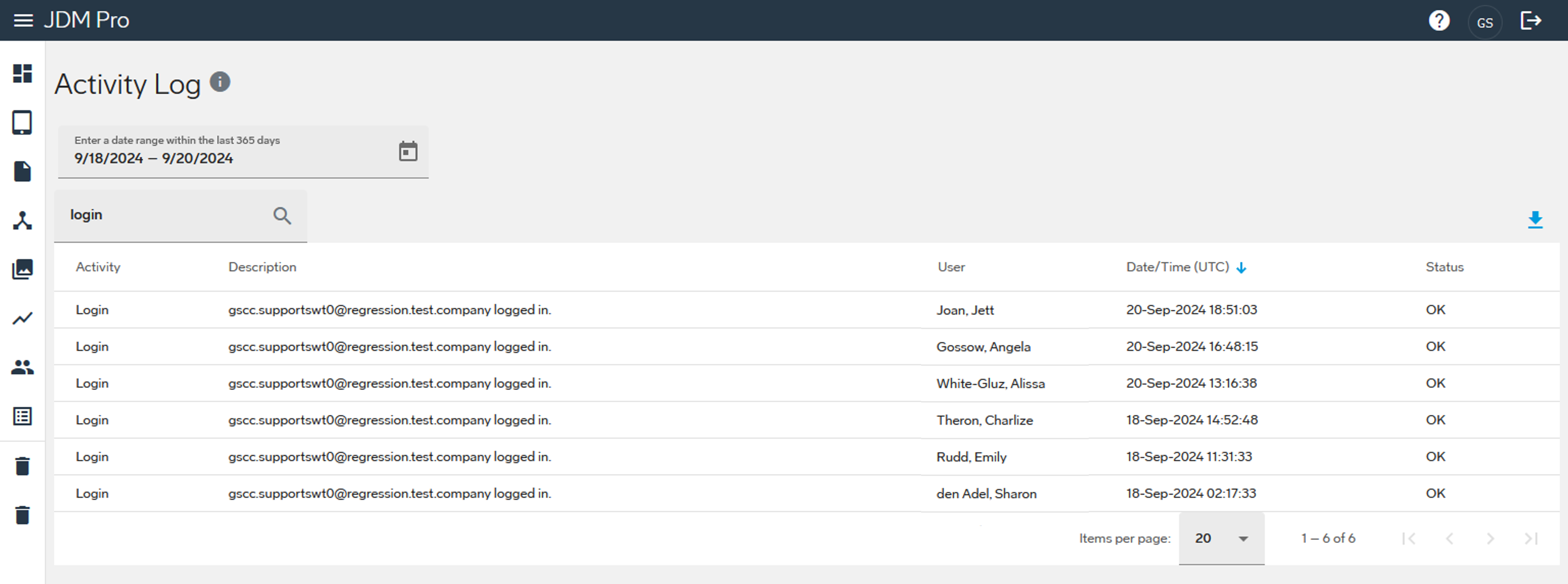
You can search and filter the Activity Log to display only items that contain your search criteria. You can filter the Activity Log to show activities that occurred on a specific date or within a range of dates.
About this task
Procedure
-
To limit your search to only those activities that occurred during a range of
dates, select a start and an end date.
If you select only a start date, Jeppesen Distribution Manager Pro (JDM Pro) displays activities from the selected date to the current date and time. If you select only an end date, JDM Pro displays activities from 365 days ago to the selected date.
-
Enter your search criteria in the search box and press
Enter
JDM Pro displays the activities that match your search criteria.
 Note: You don't need to enter search criteria to view activities that occurred during a selected range of dates.