
Filtering the Application and Content Status list
You can select the applications that appear in the Application and Content Status list on the Jeppesen Distribution Manager Pro (JDM Pro) Dashboard.
Procedure
-
Select the Show Apps menu.
JDM Pro displays the list of applications associated with your company. The applications are presented in alphabetical order.
FigureApplication selection menu 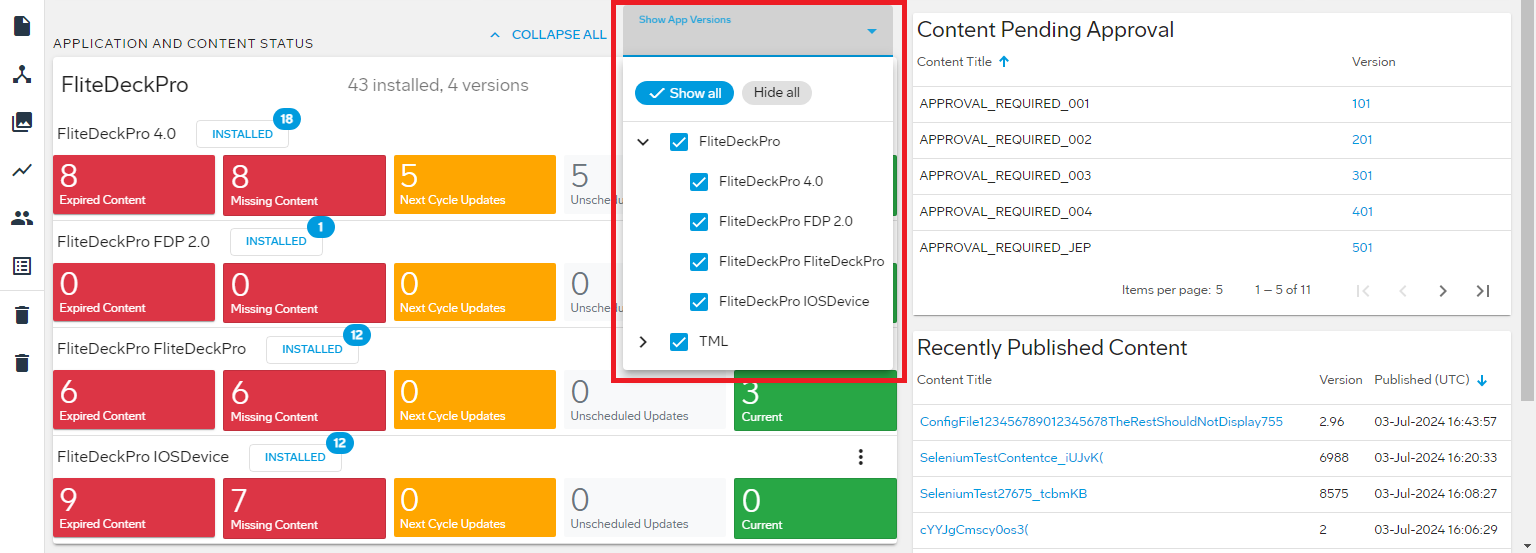
-
Select the checkbox for each application that you want to display. You can also
select to Show All or Hide All.
JDM Pro displays the content status for the devices that use the applications you selected.