
Filtering the Devices list
Use the filters at the top of the Devices page to select filtering options.
About this task
- Device Status
-
Displays devices based on their status. The following options are available:
- Created
- Inactive
- Out of Contact
- Registered
- Content Status
- Displays devices based on the state of the content on the device.
The following options are available:
- Current
- Expired
- Missing
- Next Cycle Updates
- Unscheduled Updates
- Groups
- Displays devices based on the groups that they're assigned to.
The following options are available:
- Unassigned
- Any specific distribution groups that have been created for your fleet.
- Applications
- Displays app names and their versions that are installed on devices.
- Updates
- Displays devices based on the most recent time they were updated.
The following options are available:
- Last 5 days
- Last 6–10 days
- Last 11–30 days
If you access the Devices page from the Jeppesen Distribution Manager Pro (JDM Pro) menu, JDM Pro displays the list of devices without applying any filters.
If you access the Devices page from the Installed button on the JDM Pro Dashboard, Jeppesen Distribution Manager Pro (JDM Pro) shows the Devices page—filtered by the installed app version.
If you access the Devices page from a content status card on the JDM Pro Dashboard, JDM Pro shows the Devices page—filtered by the content status and version of the installed app.
Procedure
- Select the appropriate filter.
- Optional:
Select multiple options within the same filter.
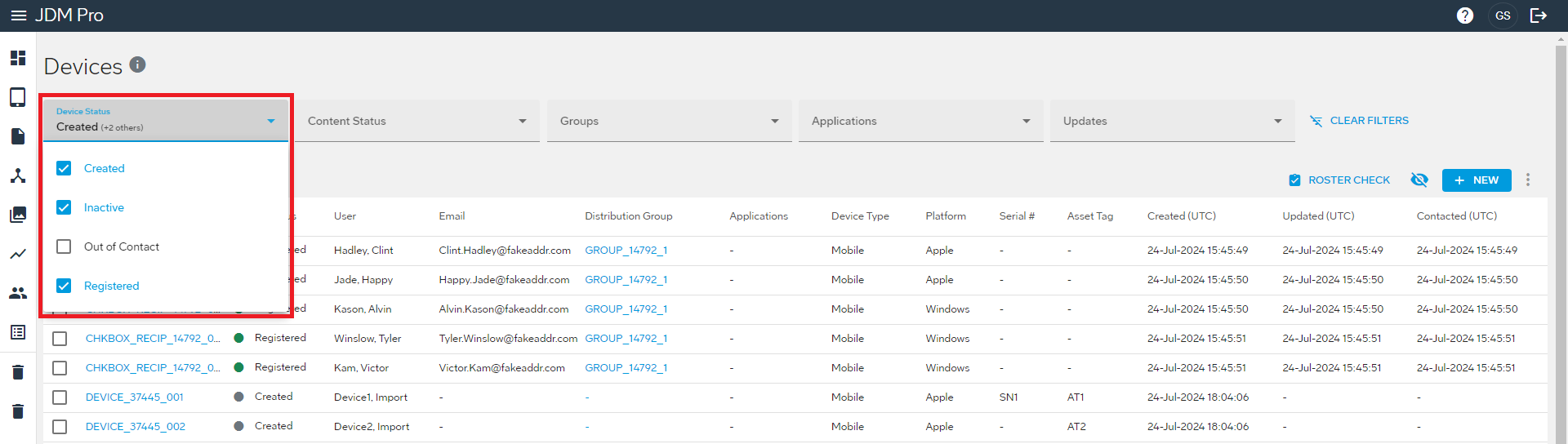 When you select multiple options within a filter, the box shows the first selection and the remaining number of selected options. For example, if you select 3 options within a filter, the box shows the first selection (Created) and the remaining number of selections (+2 others).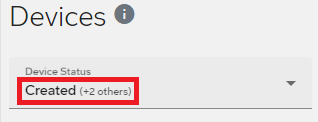
JDM Pro further filters the list with each filter option that you select. For example, if you filter the list to show devices with a device status of Inactive, and then also filter the list to show only Unassigned devices, JDM Pro displays a list of only those unassigned devices that are inactive.
- Optional: To clear the filter settings, select Clear Filters.