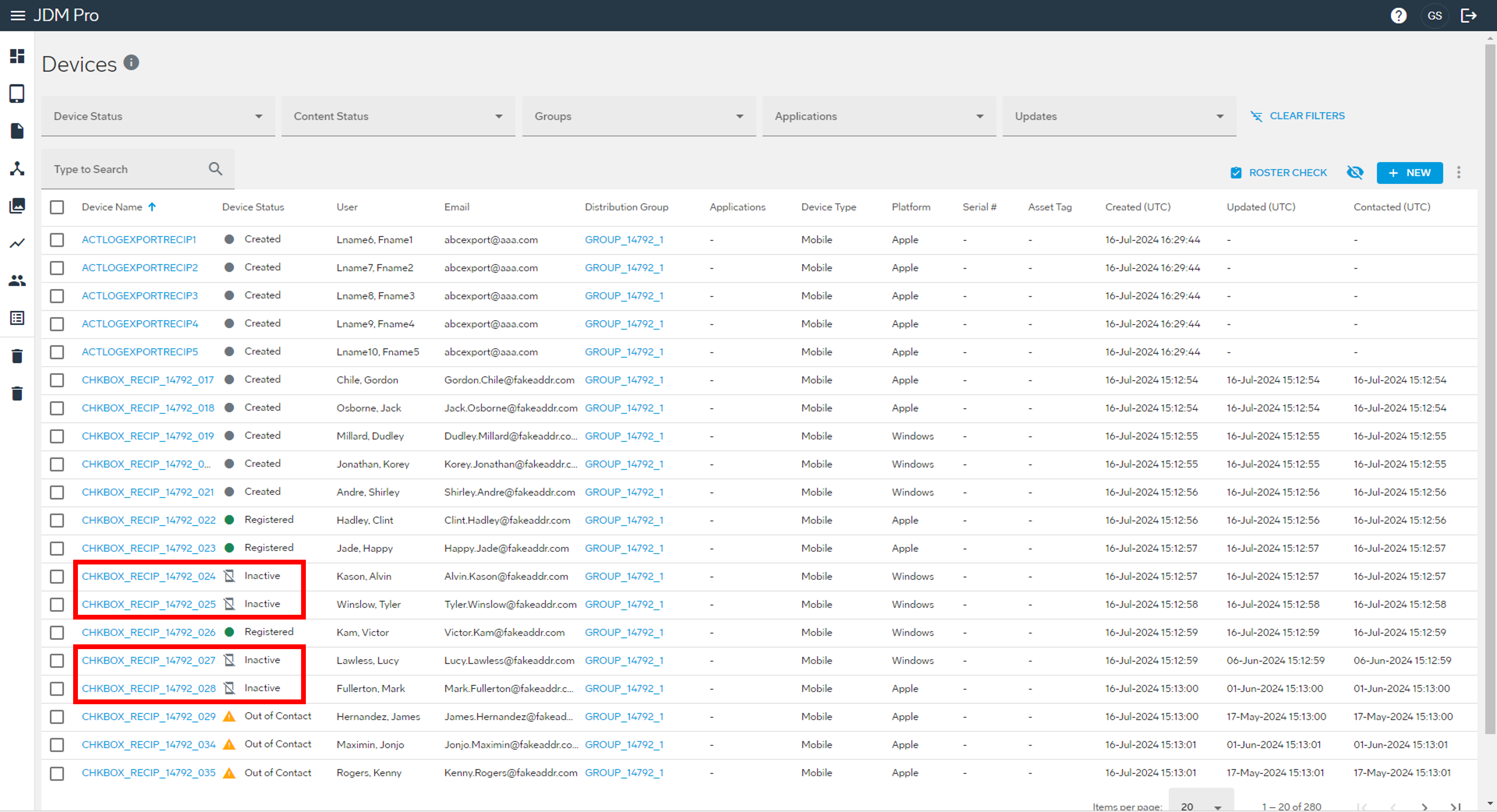
Deactivating devices
You might want to deactivate a device when the user is no longer actively flying, such as when the user goes on vacation.
About this task
Important: You can't deactivate a device with a status of Created or
Inactive.
Procedure
- From the JDM Pro menu, access the Devices page.
-
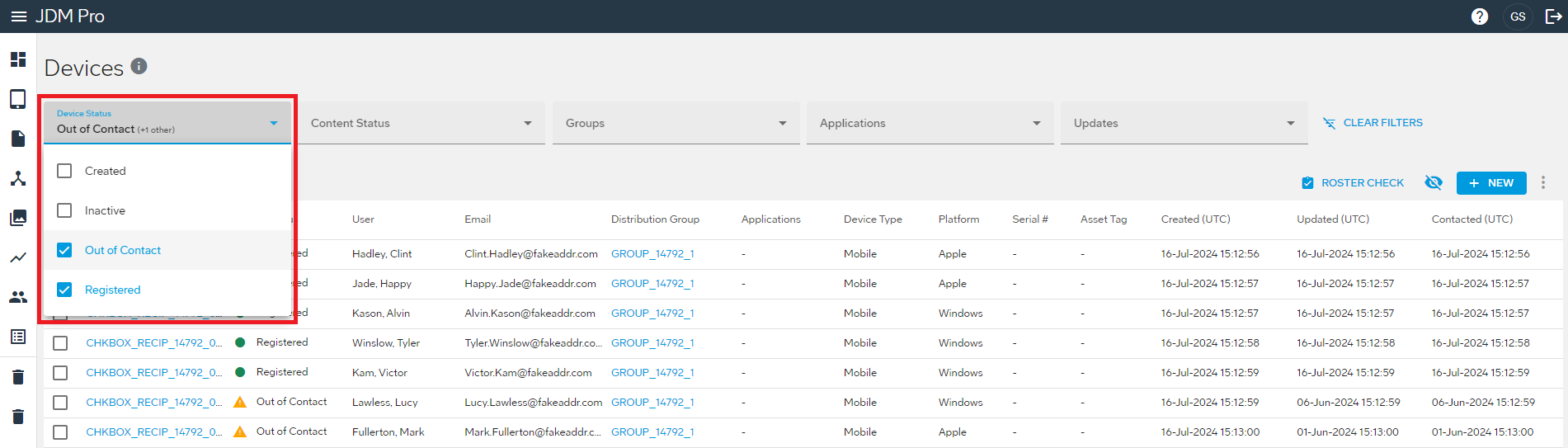
From the Device Status
menu, select Out of Contact or Registered.
This action filters the list to show only devices in the Out of Contact or Registered status.
-
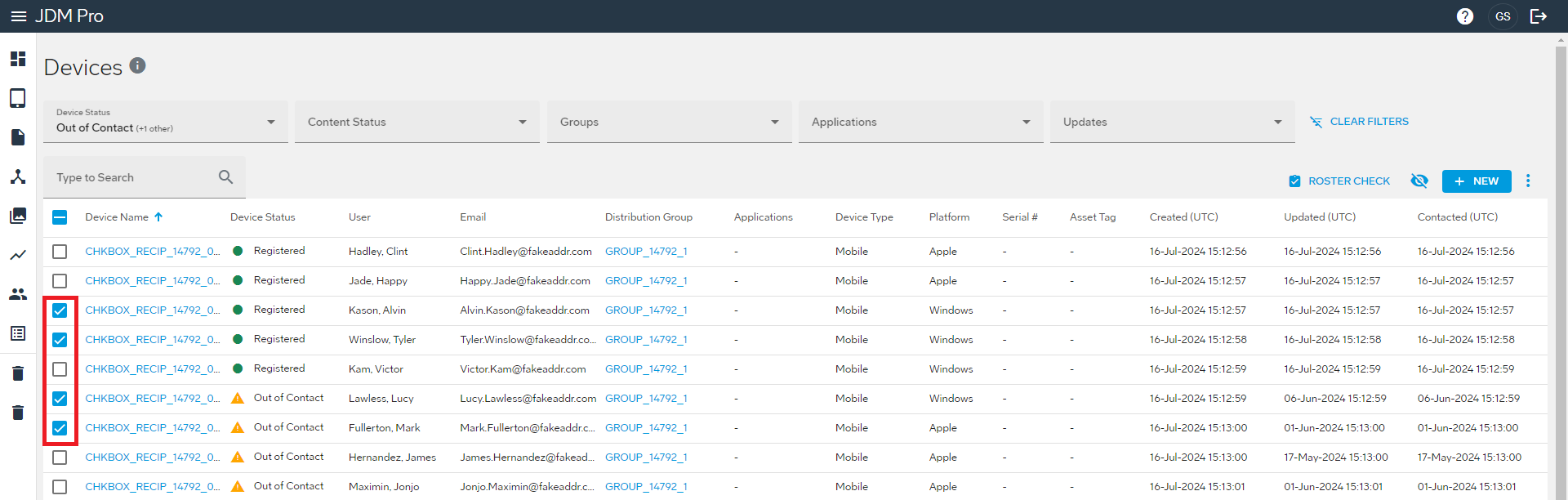
Select the checkbox for the devices that you want to
deactivate.
-
Select the
 button and then select Deactivate.
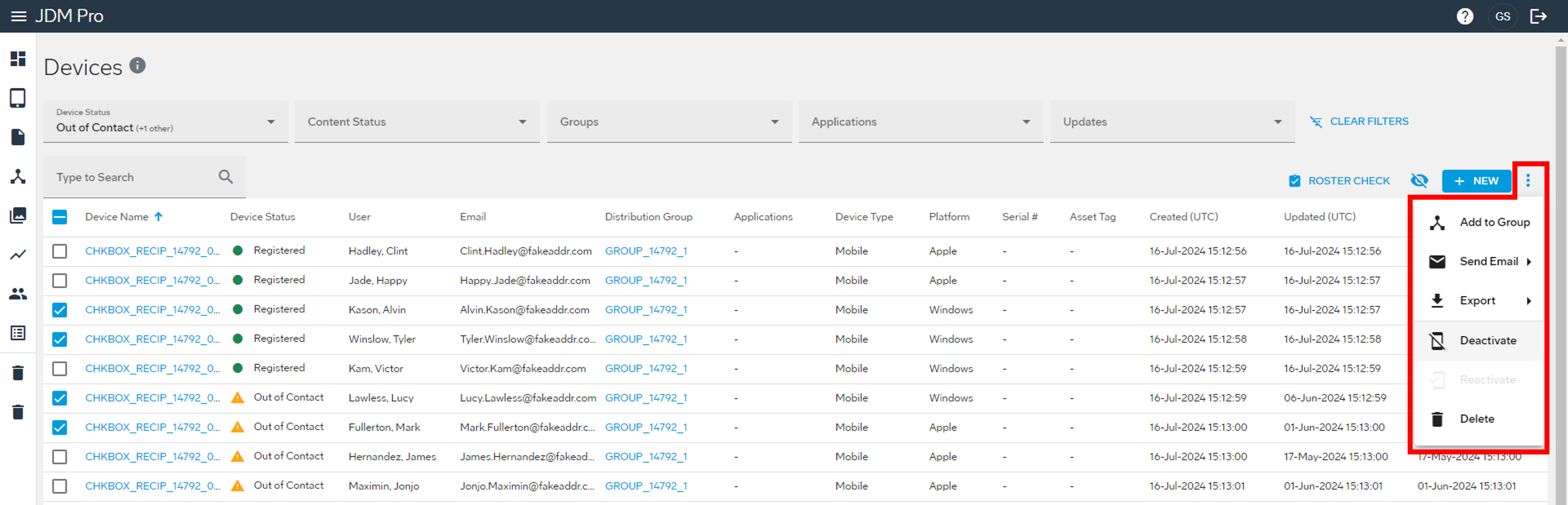 The Confirm Deactivate dialog appears.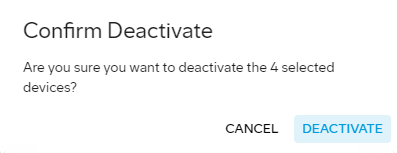
-
Select Deactivate.
JDM Pro deactivates the devices and changes their status to Inactive.