
About the Assigned vs. Downloaded Content report
You can generate a report that compares the assigned content for a device to the content that has been downloaded on the device. The report only provides information when the assigned content differs from the downloaded content.
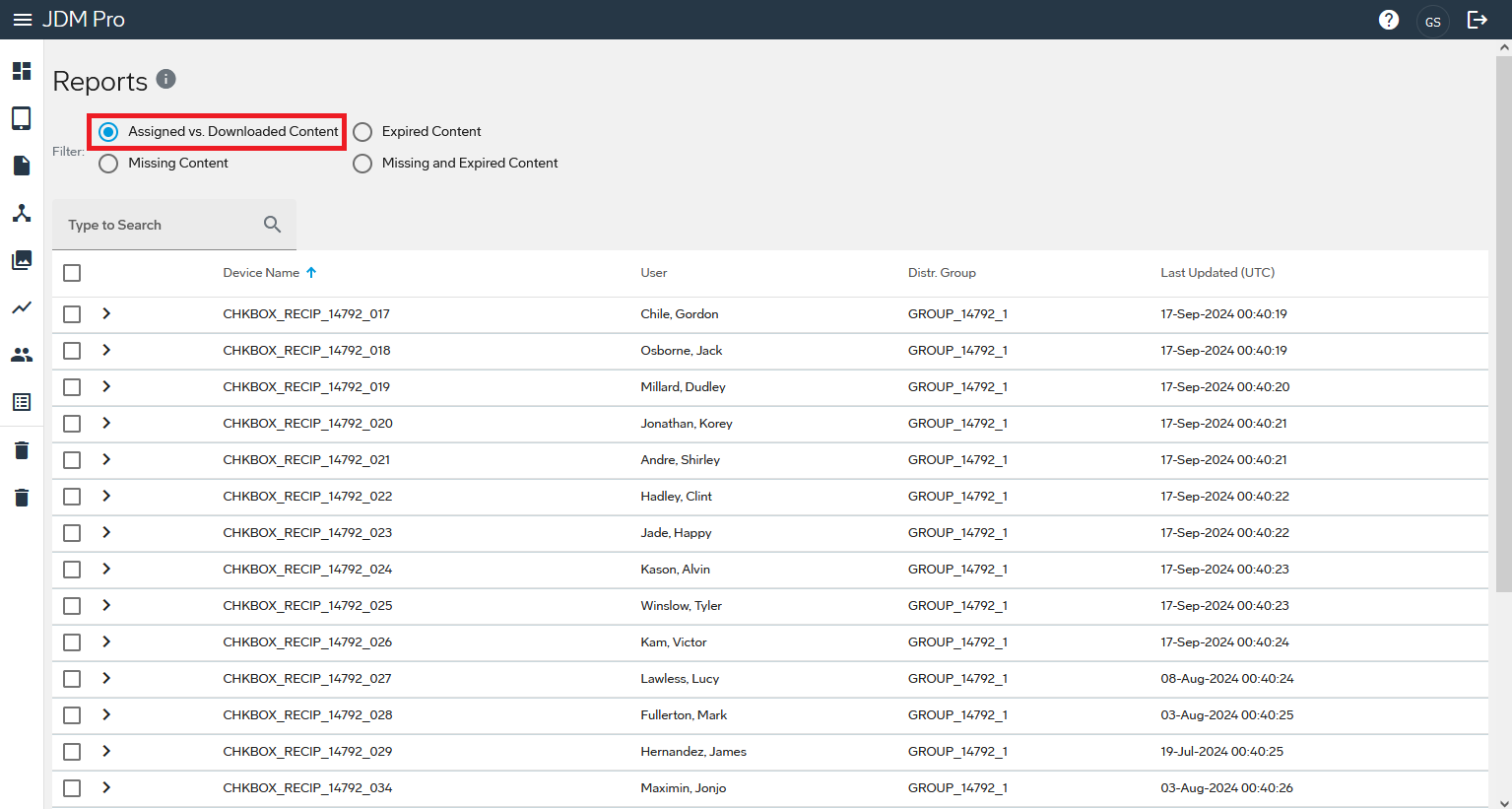
For each device in your fleet, the report provides the following basic information:
- Device Name
- A unique name of the device.
- User
- The name of the user associated with the device.
- Distr. Group
- The distribution group that the device is assigned to.
- Last Updated (UTC)
- The date and time, in UTC format, when the device communicated the latest change in state.
The Assigned vs. Downloaded Content report provides the following
information when an assigned content item differs from content downloaded on the device:
- Application
- The name of the application.
- Title
- The name of the content item.
- Type
- The type of content that is assigned or downloaded.
- Assigned Version
- The version of content that is assigned to the device.
- Downloaded Version
- The version of the content item that is downloaded on the device.
Note: When you hover your cursor over the information in the Assigned and Downloaded columns,
Jeppesen Distribution Manager Pro (JDM Pro) displays the Effective and Expiration dates for the
content.