
About the Missing and Expired Content report
You can generate a report for devices in your fleet that have both missing and expired content. The report, which can be downloaded, provides information about the device and the content that is missing or expired.
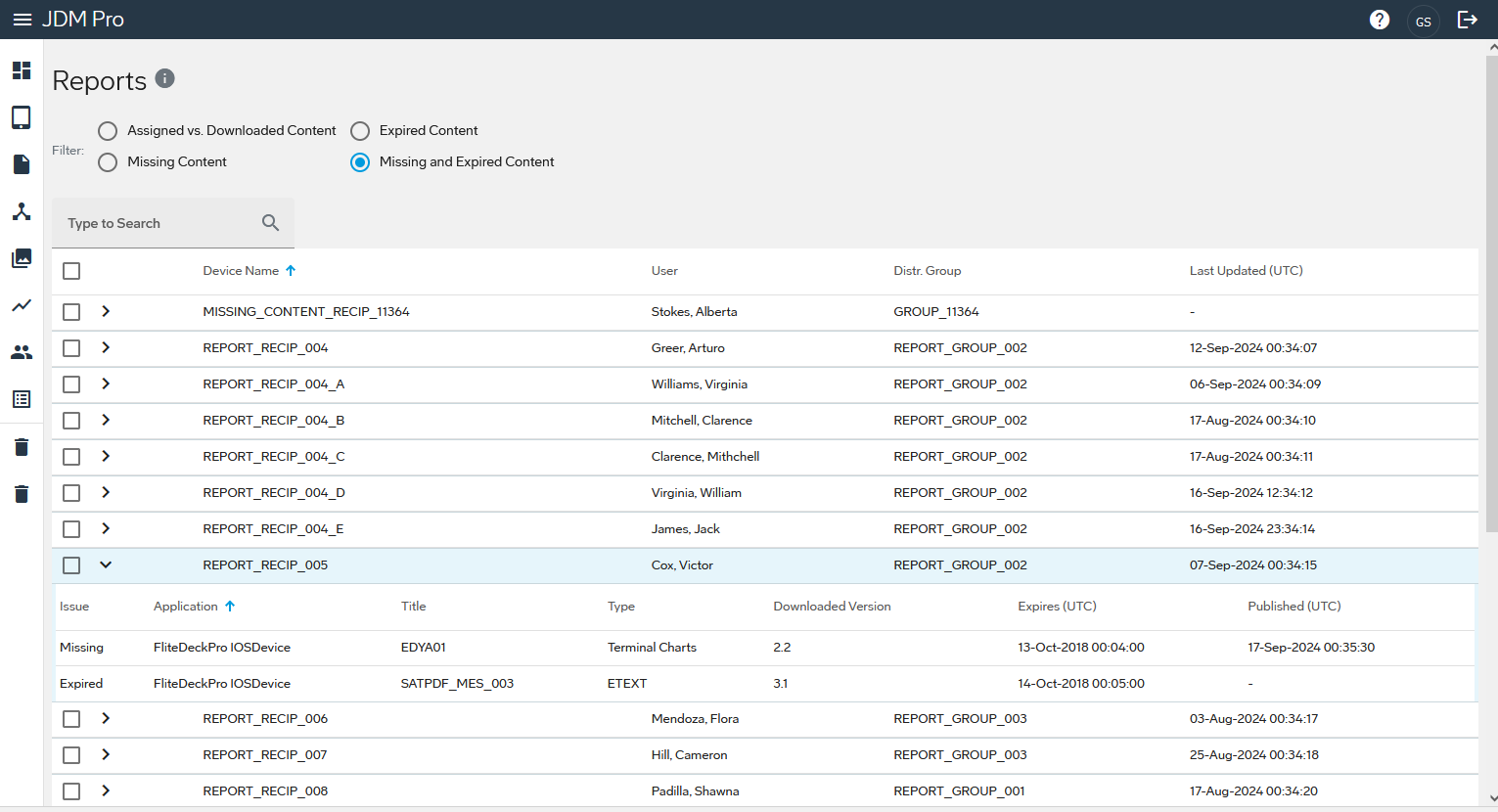
For each device in your fleet with missing and expired content, the report provides the
following basic information:
- Device Name
- A unique name of the device.
- User
- The name of the user associated with the device.
- Distr. Group
- The distribution group that the device is assigned to.
- Last Updated (UTC)
- The date and time, in UTC format, when the device communicated the latest change in state.
For each device, the Missing and Expired Content report shows the following information:
- Issue
- The problem that caused the status, either Missing or Expired.
- Application
- The application for which the data is missing or expired.
- Title
- The title of the content that is missing or expired.
- Type
- The type of content.
- Downloaded Version
- The version of the expired content on the device.
- Expires
- The date the content expires.
- Published
- The date Jeppesen Distribution Manager Pro (JDM Pro) published the content.